AI seminar · Small in-person workshop · Korean / Chinese

A hands-on seminar where you
build your own AI agent for work

From installation and the vocabulary to a live automation demo and building one agent each. Shown screen by screen by someone who runs a 20-member AI dream team every day.

Session 1 satisfaction 4.7 / 5 · NPS +60 · FastCampus AX cohort 1 Grand Prize · GPTers cohort 17 1st place

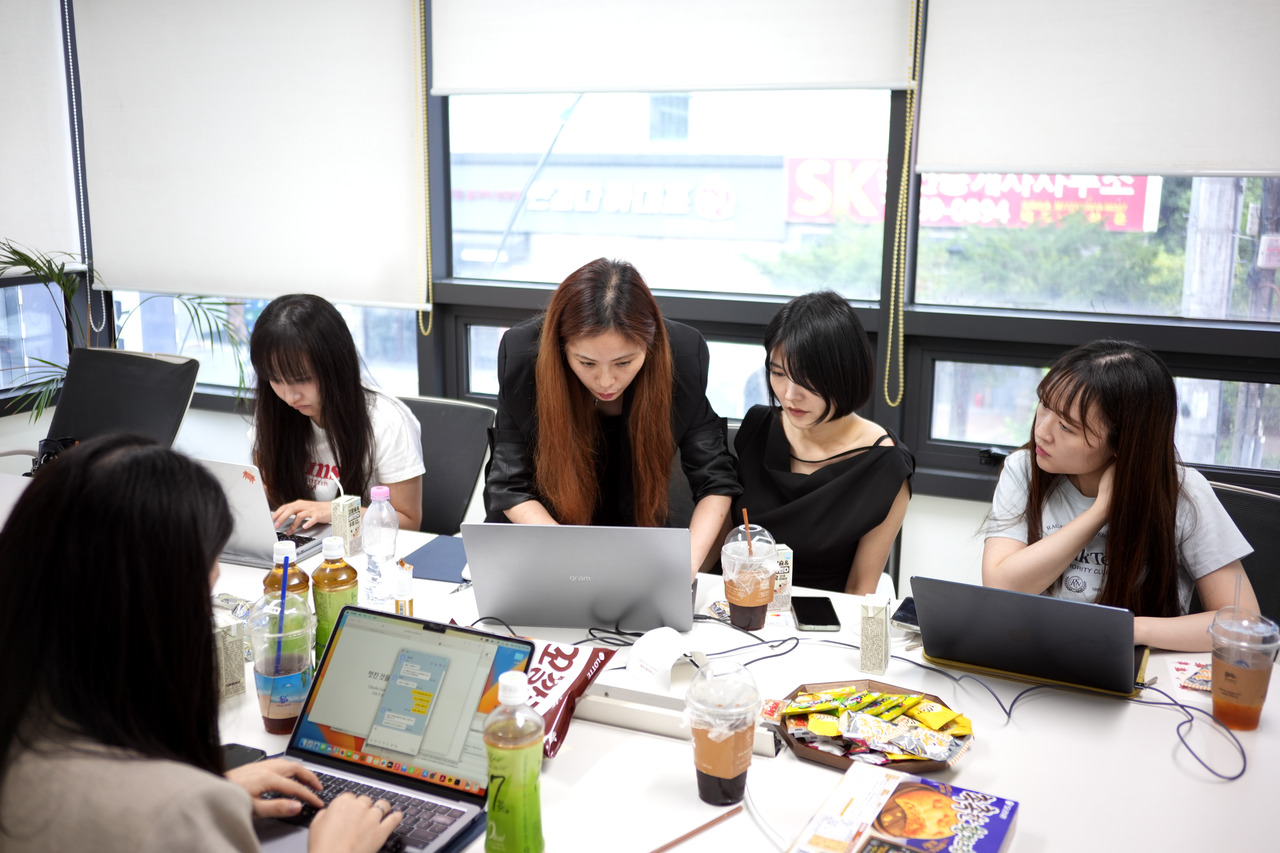
Session 1 on 28 Aug 2026: Bella explaining the automation code on screen while attendees follow along on laptops
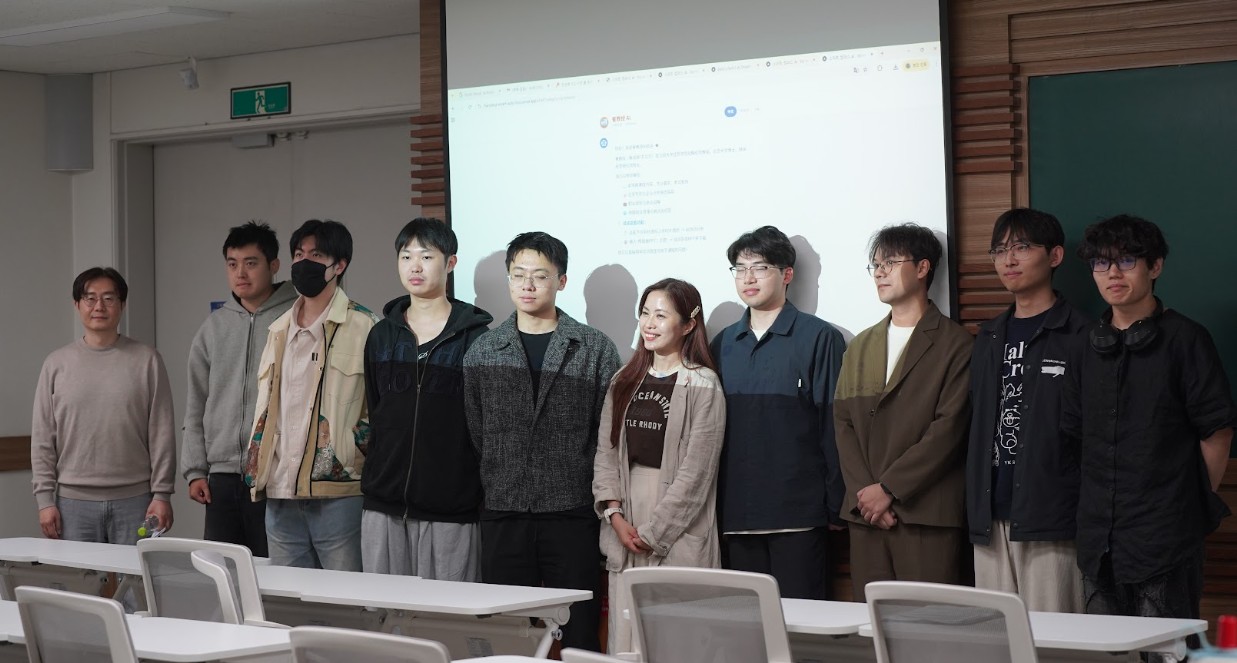
Session 1 “Build an AI agent”, 28 Aug 2026 · 10 attendees in person
BELLA AI seminars are small hands-on workshops that teach no-code AI you can apply to school or work right away. Non-developers learn prompting and automation on the spot.

Why this seminar is different

Screens over slides. Your work over theory. Structured in the order Session 1 attendees said helped most.

01

We only show what actually runs

Live demos by a practitioner who runs a 20-member AI dream team every day across three devices: Windows, Mac mini and cloud. Not screenshots. Screens that are running right now.

02

We nail the vocabulary first

What Claude Code, MCP, skills, agents, Git and GitHub are and how they differ, explained without developer jargon. In the Session 1 survey, “installation” and “comparing the terms” ranked #1 and #3 for most helpful.

03

You leave with an agent built for your own work

Copy-and-use prompts, one agent per person. A laptop and a free account are enough, and when you get stuck we work through it next to you.

04

Taught by someone who learned AI in a foreign language

From Taiwan, 11 years in Korea. Having learned AI in Korean, she knows exactly where people get stuck. Sessions run in Korean and Chinese.

Session 1, “Build an AI agent”:
how it went

10 attendees in person · Seonggok Building, 3F. The numbers below come from the satisfaction survey attendees filled in themselves.

4.7Average satisfaction / 5
100%Survey response rate 10 of 10
+60Recommendation score NPS 0 detractors
7Next session “definitely joining”

Most helpful: installing Claude Code · live automation demo · comparing the terms (Git, GitHub, MCP, skills).
Most requested: more hands-on time. Going straight into the next session.

During Session 1: Bella explaining the code on screen while attendees follow along on laptops
In session · Everyone follows along on their own laptop
Group photo with attendees after Session 1
Afterwards · With all 10 attendees

Past sessions

21 Jun 2026 · Chinese morning session + Korean afternoon session · Google Meet + in person in Gangnam · 12 per track. Registrants hear first once Session 2 is scheduled.

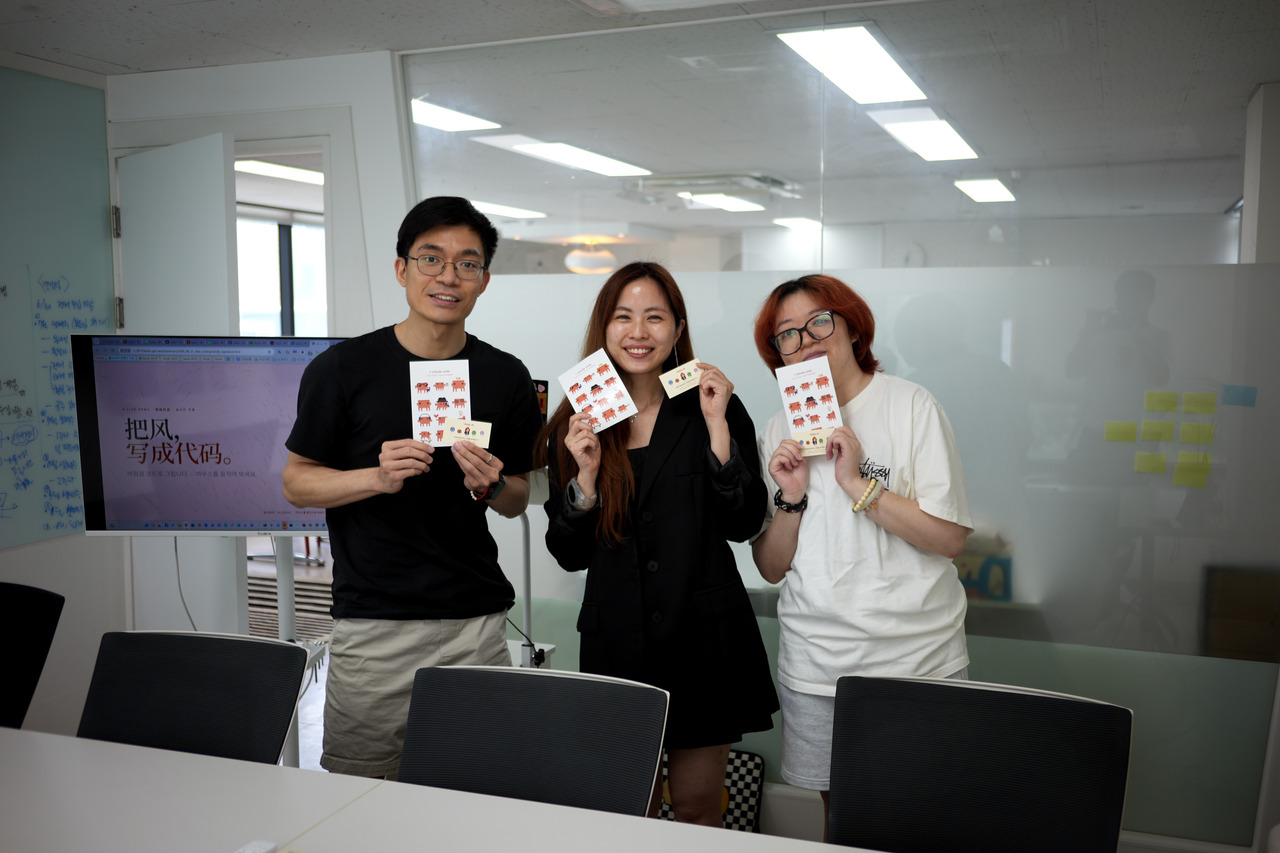
Chinese session on the morning of 21 Jun 2026: participants holding their completion cards
21 Jun, morning · Chinese session
Korean session on the afternoon of 21 Jun 2026: coaching the laptop exercise
21 Jun, afternoon · Korean session
Video of the Korean session, 21 Jun · Watch on YouTube ➔

Your instructor

Bella, AI agent team architect and head of KNDLI

Bella

AI agent team architect · Head of KNDLI · Hanyang MBA

A non-developer who built a 20-member AI dream team with Claude Code alone and automated her entire workflow, from distribution and buyer prospecting to order processing and email, across Windows, Mac mini and cloud.

FastCampus AX cohort 1, Grand Prize GPTers cohort 17, 1st place · 3 years since cohort 9 Korean · Chinese · English Profile and interview video ➔

Only what's been verified

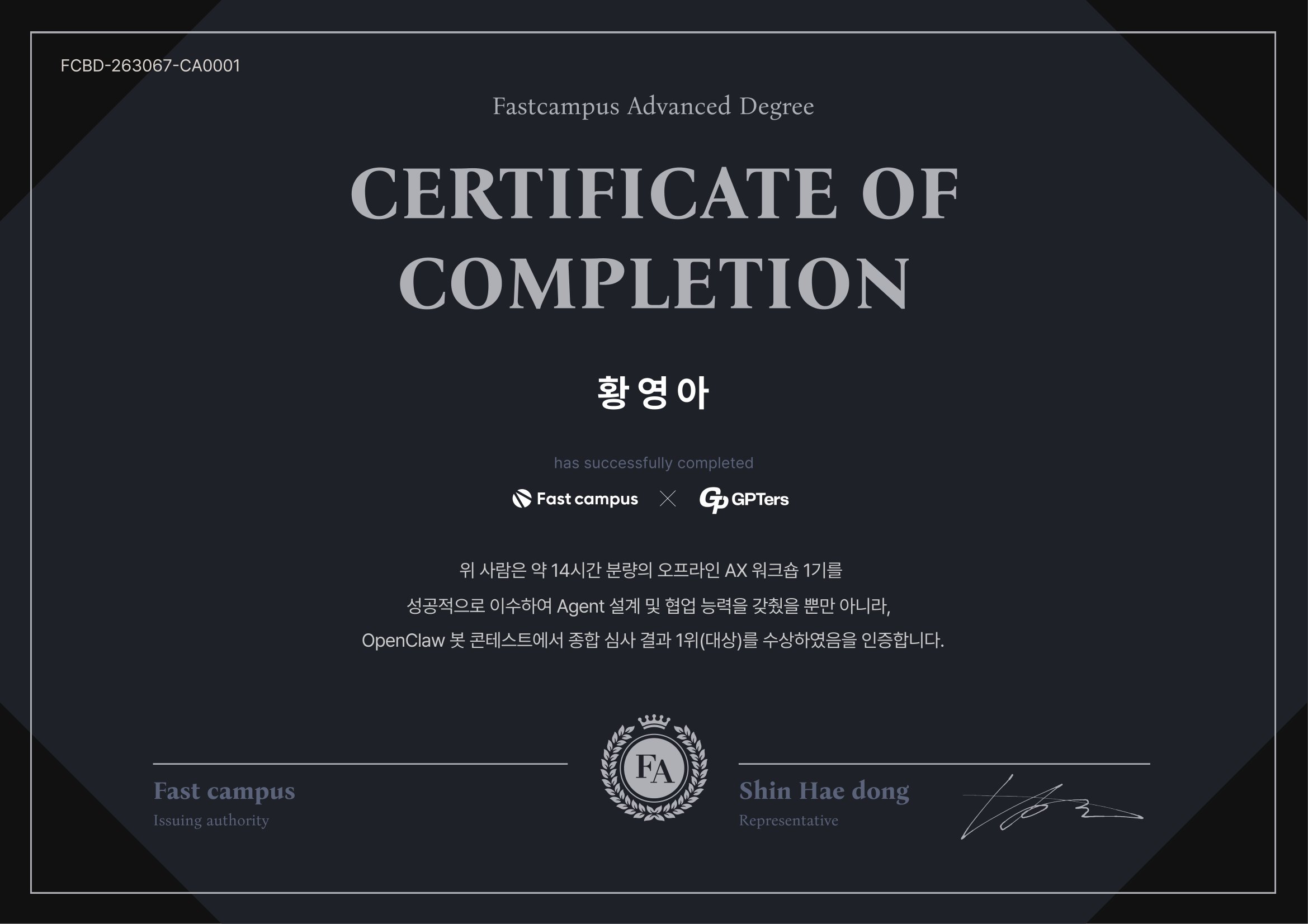
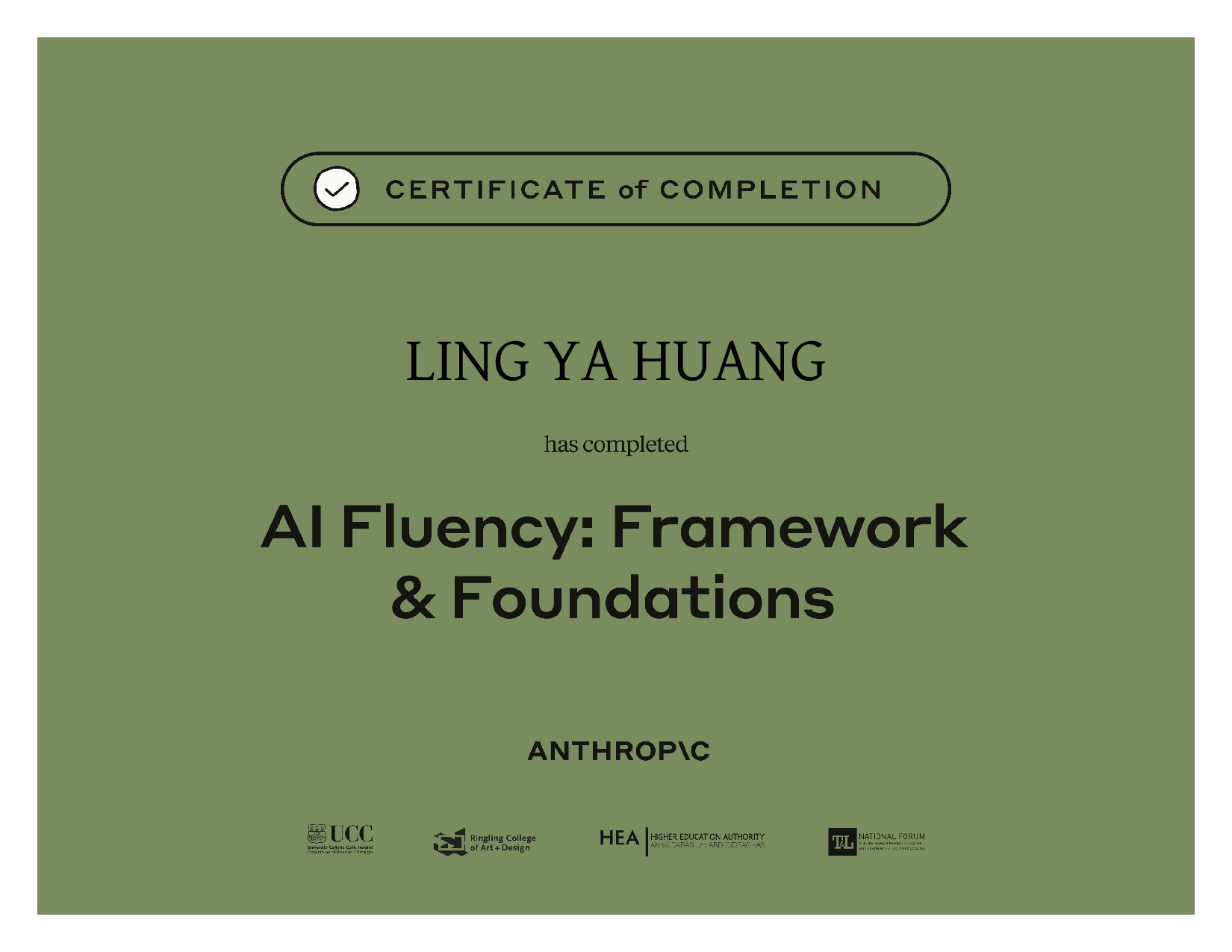
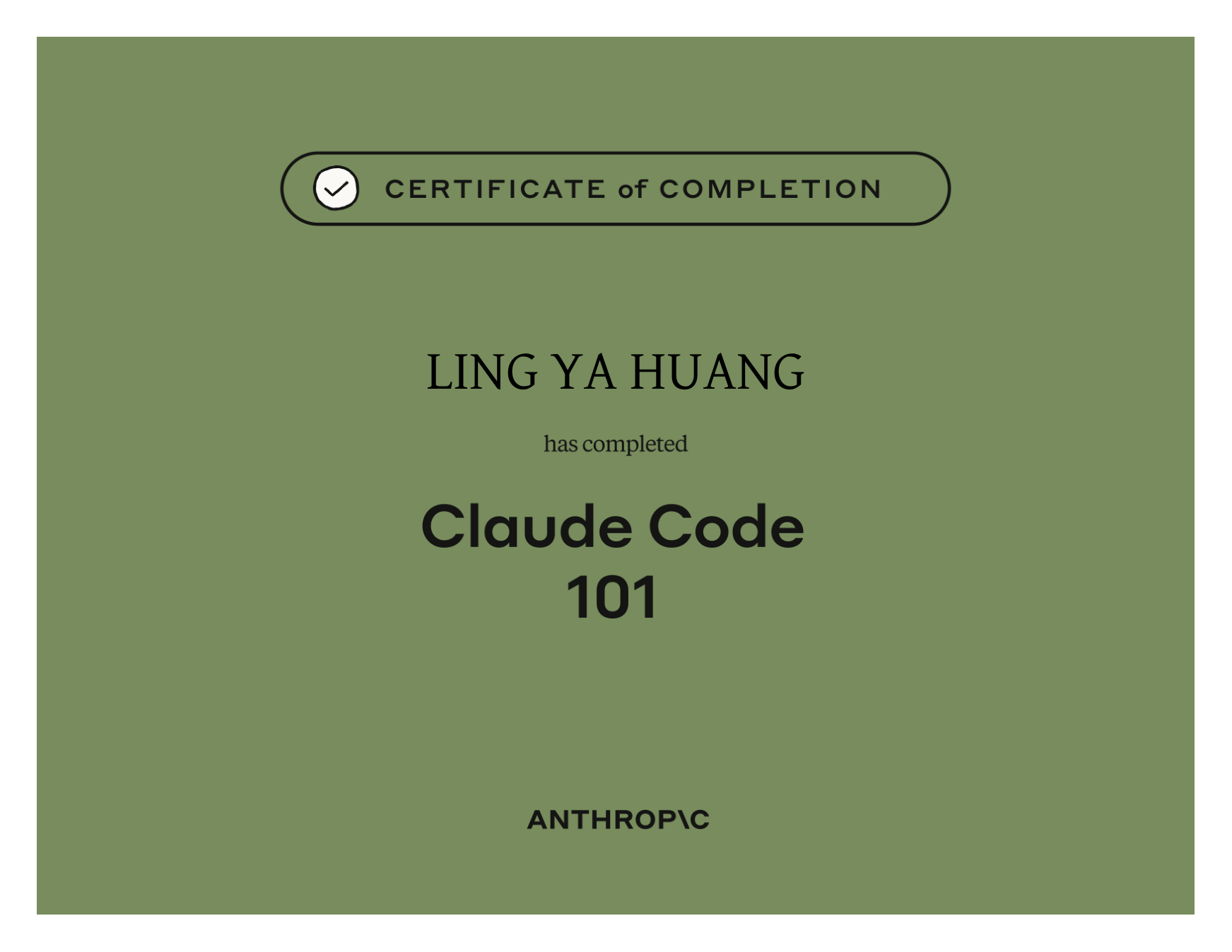
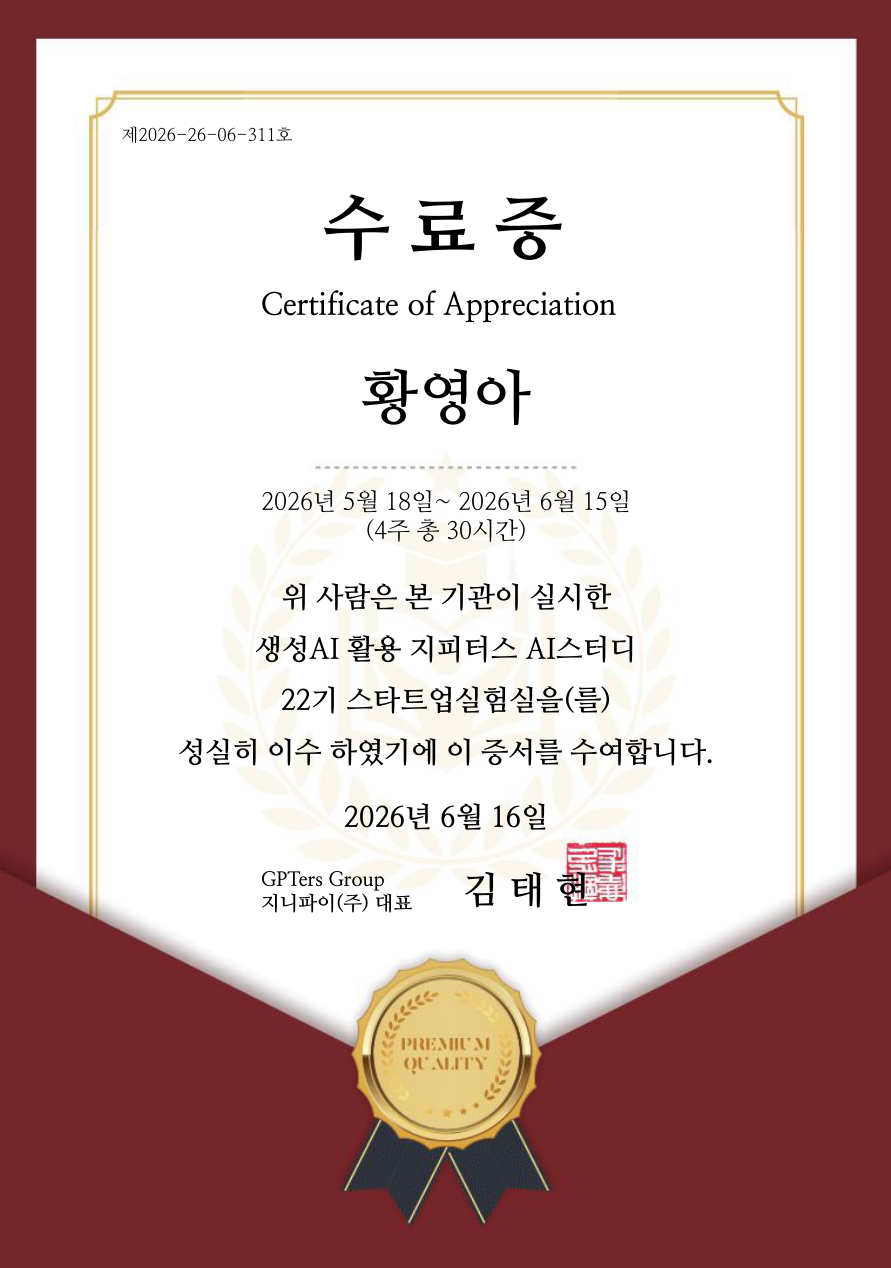
FastCampus AX cohort 1 overall first place (Grand Prize) certificateFastCampus AX cohort 1 · Grand Prize Anthropic AI Fluency certificateAnthropic · AI Fluency Anthropic Claude Code 101 certificateAnthropic · Claude Code 101 GPTers cohort 22 certificateGPTers cohorts 9–23 · 3 years running Smart Campus chatbot demo for 60 international MBA students at Hanyang UniversityHanyang MBA · Demo for 60 international students

See all certificates (Anthropic 6 · GPTers 6) ➔

How is the curriculum structured?

One intro session plus three advanced sessions, four in total. Each runs 90 minutes with theory and hands-on practice; bring a laptop. Advanced dates will be announced.

01
Intro
My story, starting from one line

Reliving a non-dev's first AI day

  • Bella's true story: from zero code to a 20-member AI team
  • What AI/Claude is, explained in 3 minutes, no jargon
  • Hands-on: "describe your work to the AI" (where automation begins!)
  • Applying it to assignments, reports and email right away
  • Live demo: one line in → AI completes it
02
Advanced
From prompts to automation

From a simple question to workflow automation

  • Prompt structure: role/goal/constraints/examples (real templates)
  • Hands-on: auto-writing email, 3-language translation, data tidying
  • Prompt → script → auto-run: the 3 stages of evolution
  • Real case: auto-sending 89 buyer emails
  • Your own prompt templates + an automation scenario
03
Advanced
Building an AI agent team

From 1 automation to a 20-agent team

  • Real case: 30 min manual → 6 min automated, live
  • Dream Team revealed: Goldi (ops), Robo (eng), Windi (strategy)
  • Running 3 devices at once, Windows, Mac mini, Cloud
  • Live demo of the MBA study chatbot (classroom-tested!)
  • Agent design basics: build your own AI team
04
Advanced
Designing your own DKM

Automation + knowledge = your AI operating system

  • What is DKM? Bella's Dream Team knowledge system, revealed
  • Mapping your workflow → prioritizing what to automate
  • Memory systems: making AI remember your work
  • Student presentations + 1:1 feedback from Bella
  • Certificate + your own agent-design template

Manual vs automated

The same task: 30 minutes by hand, 6 minutes with AI

Before · manual

  • 30 min daily of manual ERP login + downloads
  • Manual Excel work + copy-paste
  • Human error → stock mismatches, wrong quotes
  • 120 hours a year spent on simple repetition

After · automated

  • Auto-runs daily at 09:10 (or on boot)
  • 32,000 rows processed in 6 minutes
  • Triple safeguards → auto-alert on failure
  • 120 hours saved a year → focus on what matters

Is there a real teaching case?

An AI study chatbot for MBA students

An AI study chatbot developed with an MBA professor. It supports 120 MBA students with course-material search, assignment help and auto-generated slides in three languages.

Bella also tutors MBA students in applied AI, putting it to work on their assignments, presentations and research.

"One line of command → the AI completes it, shown live."
Experience it at the seminar
REVIEWS · Attendee Reviews

Honest words from people who attended

Above are one-line comments from the Session 1 survey on 28 Aug 2026 (10 responses). Anyone can leave a review below.

“Starting with the vocabulary was great. I finally understand the things I'd been using without knowing what they were.”
Session 1 attendee · HR
“The terminology was good, but the hands-on part was better. I'd love more of it.”
Session 1 attendee
“I'd had no way in before. This was my first time installing it, and I could actually get the things I needed done.”
Session 1 attendee · Venture investment
“It was my first time, and I had no idea these features existed.”
Session 1 attendee · Accounting
“As a non-developer, I learned that even when installation gets tricky, I can solve it together with AI!”
Session 1 attendee · ESG management consultant
“I learned about things that were new to me, and it made me want to study more.”
Session 1 attendee · Securities IB
If you've attended a seminar or training, please leave a review.
Leave a review → priority invite to the next seminar + an Agent Prompt Pack.

Seminar registration

Session 1 (28 Aug 2026) is closed. Once Session 2 is scheduled, registrants hear first. Custom seminars for companies and groups can be arranged right away.

Share it to an AI group, KakaoTalk or WeChat, applicants land straight on the form.

Offline venue

Seoul · Venue announced per session
Session 1 was at Seonggok Building 3F, up to 10 people

Online

Held on Google Meet
Link sent by email after you register

Email reply within 24 hours of registering, with schedule and venue details

Frequently Asked Questions

Can I join if I don't know how to code?

Yes, no coding at all is required. The BELLA AI seminar is designed for non-developers and starts by explaining what AI is in 3 minutes, with no jargon. Instructor Bella began as a non-coder herself.

What do I learn?

You learn practical ways to use AI for work and study without coding, what AI and Claude are, copy-paste prompts you can use right away, automation ideas that cut repetitive work, and a knowledge system (DKM), all through real cases.

Who is this seminar for?

It's for anyone who doesn't code: non-developers, students and working professionals. Korean-language sessions are the default, with Chinese sessions for learners from Taiwan, Hong Kong, Singapore and the Chinese-speaking community in Korea. Session 1 attendees came from HR, accounting, investment, consulting, marketing and more.

What should I bring?

A laptop is all you need, and no prior knowledge is required. To follow the hands-on parts, we recommend bringing a laptop or tablet. First-timers can follow along right away.

Is it online or offline?

It's a small in-person seminar held in Seoul. Session 1 (28 Aug 2026) ran with 10 people in person, and some sessions add a Google Meet online option. Seats and venue are announced to registrants for each session.

How much does it cost?

The cost depends on the seminar format (public, corporate, or custom), and we share it together with the schedule when you apply or inquire.

Explore More Services
Service Map Find my AI BELLA AI App AI Automation AI Visibility Translation Profile Custom AI Training Contact